Your notes, tasks, calendars and documents, together.
Pen down your thoughts, organize your tasks, plan your days, stay ahead of every document renewal, and work together with the people who matter.

One Powerhouse For Everything That Matters
Capture, organize, plan, track and work together, without switching apps.
Capture Anything
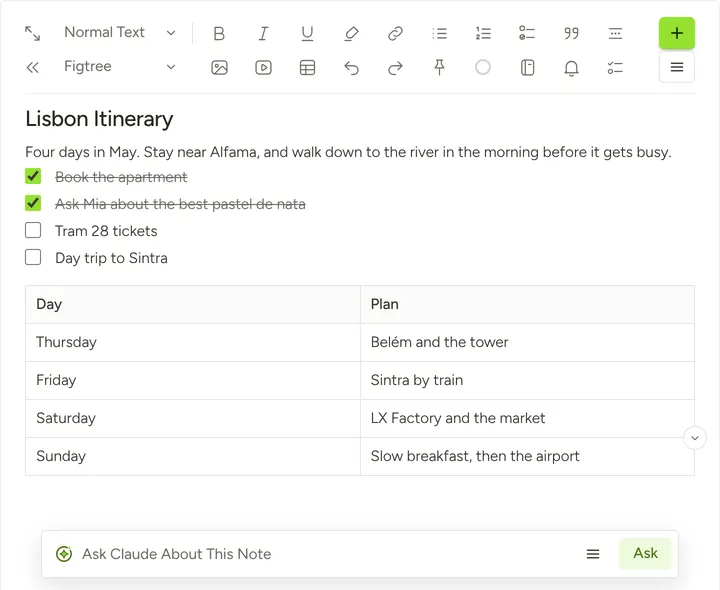
Thoughts, ideas, meeting minutes, checklists, files (PDF, Word, Excel) and videos live together in your note. Write with a powerful editor and let AI help you draft, polish and summarize as you go.
- Text, checklists, tables, pictures, files and videos, all in a single note
- Polish, summarize or fix spelling and grammar with AI, or ask Claude about your note
- Notebooks, tags and templates keep everything in order
- Search reads your notes, files and pictures, and every earlier version is kept
Stay On Top Of Every Task
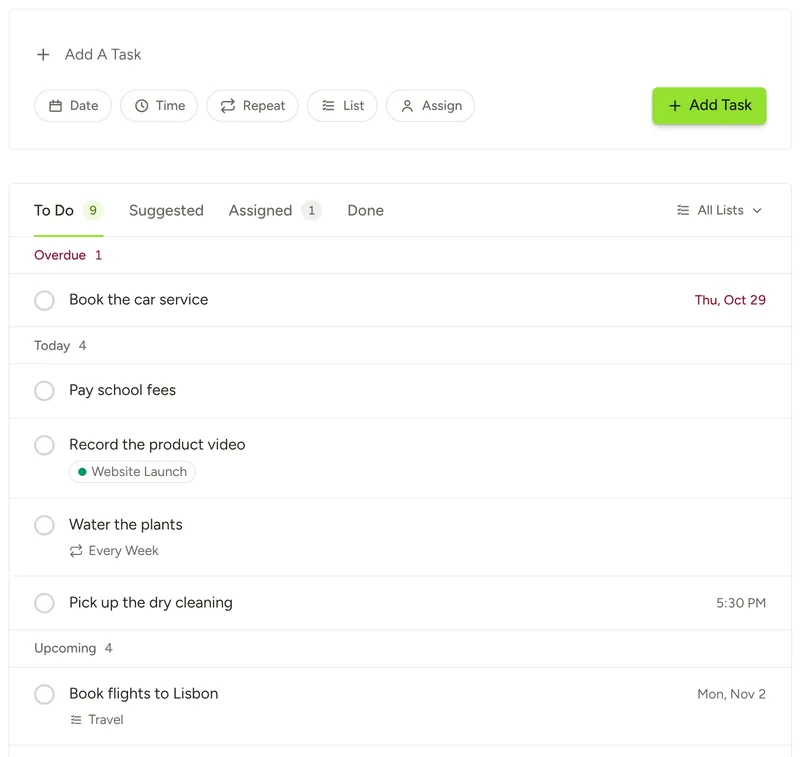
Turn ideas into to-dos with a date, a time and a repeat. Keep them in lists, link them to your notes, and get reminded by email and on your phone and computer.
- Repeat daily, on weekdays, weekly, monthly or yearly
- Overdue, Today and Upcoming, so you always know what comes next
- Suggested Tasks finds to-dos in the emails you forward and the notes you choose, and adds nothing until you say yes
- Give tasks to your team and talk them through in comments
Plan Every Day With Clarity
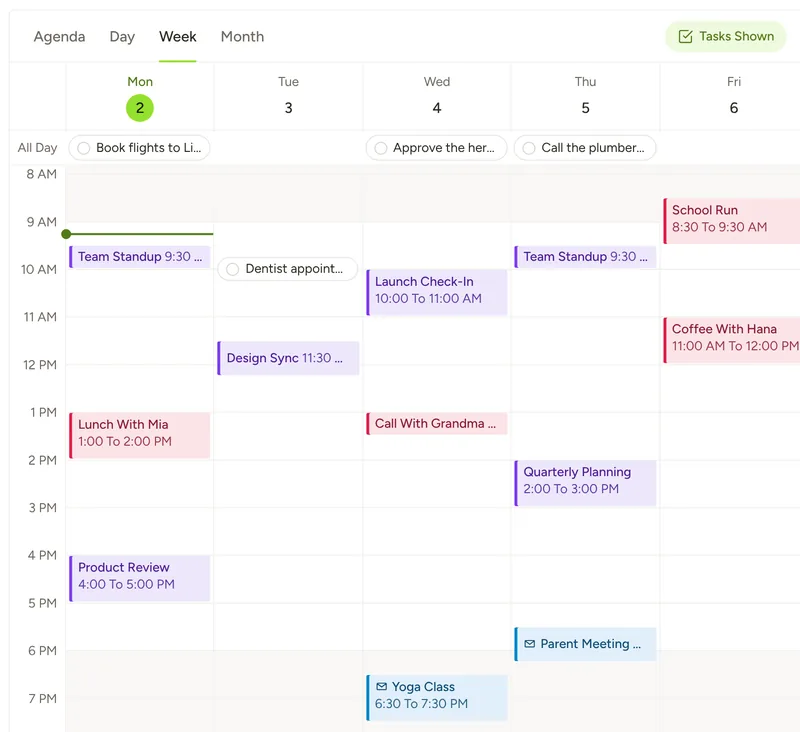
See your tasks and meetings on one calendar, by Agenda, Day, Week or Month. Connect Outlook or Google Calendar and join your meetings in one click.
- Work and personal calendars, side by side
- Set your working hours and see what falls outside them
- Forward an invite and it waits on your calendar until you add it
- Read only: Notes360 never changes your meetings and never keeps them
Never Let A Document Expire
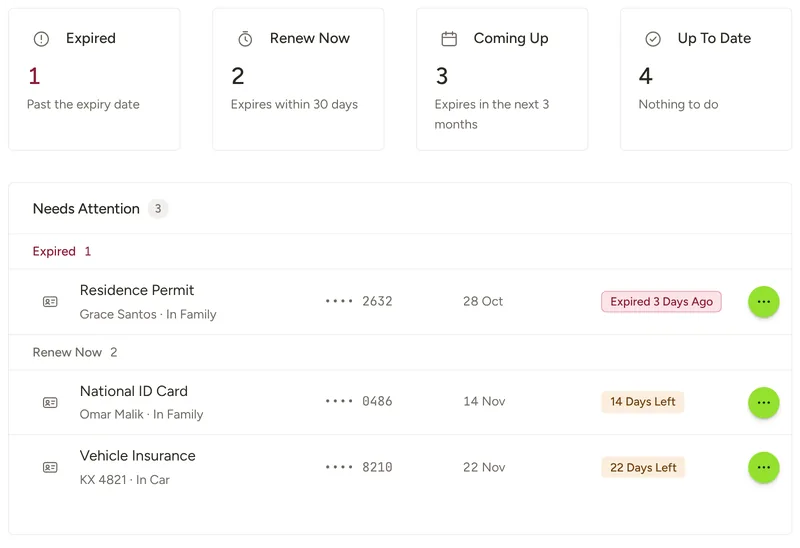
Store passports, IDs, visas, insurance and contracts in one secure place and see what each one needs at a glance. Get an email before anything expires, and turn its renewal into a task in one click.
- Expired, Renew Now, Coming Up and Up To Date, so nothing slips
- Numbers are encrypted and shown only when you ask
- Forward a document by email, or scan it and let AI read its details for you to check
- Folders and search keep the whole family’s documents in order
Write Better With AI
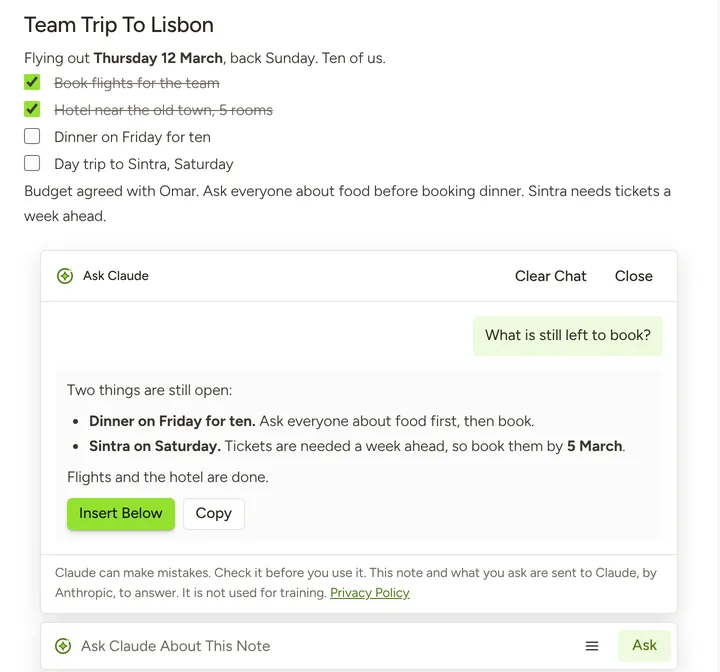
Fix, polish, shorten or lengthen what you write, change its tone, and turn it into a list or a checklist. Ask Claude about the note you are in, and let it draft for you when you ask.
- See every change word by word before it goes in
- Undo any change, and Version History keeps the note from before it
- Suggest a title, summarize or polish the whole note in one step
- Part of Intelligent. Your notes are never used to train AI models
Get More Done Together
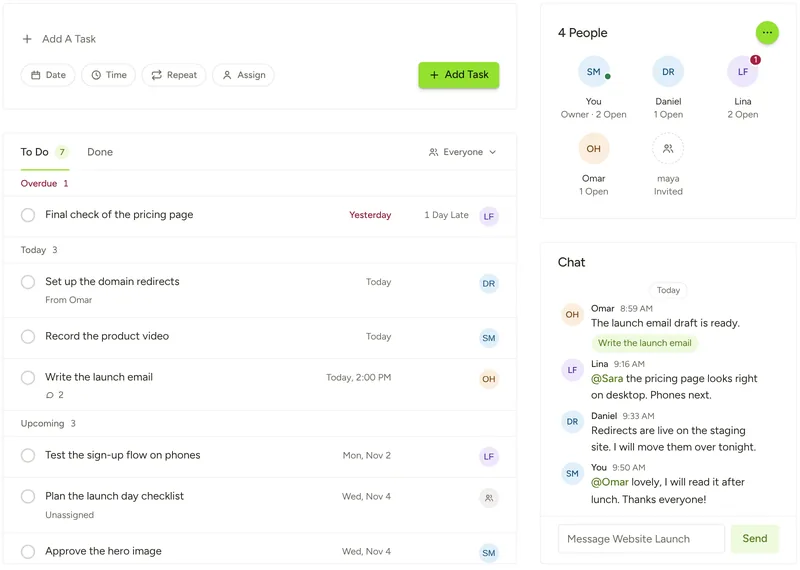
Create a team, give tasks to the people you work with and see who has what. Talk it through in the team’s chat, and keep every task’s updates in its comments.
- See each person’s open and overdue tasks at a glance
- Mention someone and they get a push, while chat never fills your inbox
- Everyone sees the team’s tasks and chat, never your own notes or tasks
- Part of Intelligent for the team’s owner. The people you invite join free, on any plan
Forward An Email, Get A Note
Forward an email to your private Notes360 address and it becomes a note, attachments included. An invite waits on your calendar until you add it.
Talk Or Listen
Press Dictate and speak, and your words appear in the note. Press Listen and Notes360 reads your note aloud in a natural voice.
Share When You Want
Share a note or a whole notebook with the people you choose. They can read it or edit it with you, and you can stop sharing at any time.
Bring Your Notes, Take Them Anywhere
Import from Evernote in a few minutes. Export All Notes at any time. Delete My Account whenever you like, and restore it within 14 days.
Your Notes Stay Yours
Notes360 runs on Microsoft Azure in the United States. Nobody at Kahloon reads your notes.
Read Our Privacy Policy- Never SoldWe do not sell your data, rent it or share it with advertisers.
- Not For TrainingWe do not use your notes to train artificial intelligence models.
- Calendars Read OnlyWe never change your meetings, we do not keep them, and we never send them to any artificial intelligence model.
- No Tracking CookiesNo advertising, tracking or analytics cookies.
Everything That Matters, In One Place
Create your account in a minute. Your notes, tasks, calendars and documents are ready when you are.
Start Free